
Download Utilu Internet Explorer Collection – Test Your Site Across IE Versions Securely
Overview
Utilu Internet Explorer Collection is a specialized testing suite designed for web designers, developers, and SEO professionals who need to verify how their webpages render in legacy versions of Microsoft Internet Explorer. The package bundles twelve distinct IE builds ranging from the pioneering 1.5 release up to the more recent IE 8.0, letting you spin up multiple browsers side‑by‑side with a single click. In addition to the browsers themselves, the collection ships with the Internet Explorer Developer Toolbar – a powerful plug‑in that exposes DOM inspection, CSS debugging, and network profiling tools that were historically only available in newer browsers like Chrome or Firefox. Updated in 2023 to include the latest toolbar revision (1.00.2189.0) and a Firebug‑style extension, the suite now runs smoothly on Windows 7 and newer, offering improved installer logic and a clean uninstaller. Whether you’re polishing a corporate intranet for legacy support, troubleshooting a client’s broken layout on older machines, or simply indulging in a bit of web‑history nostalgia, Utilu provides a reliable, offline environment that eliminates the need for maintaining separate physical machines or virtual labs.
Key Features & Tools
- Multiple IE versions (1.5 – 8.0) packaged in a single installer.
- Internet Explorer Developer Toolbar with DOM explorer, CSS viewer, and HTTP headers inspector.
- Firebug Web Development Extension for IE, bringing familiar debugging panels to legacy browsers.
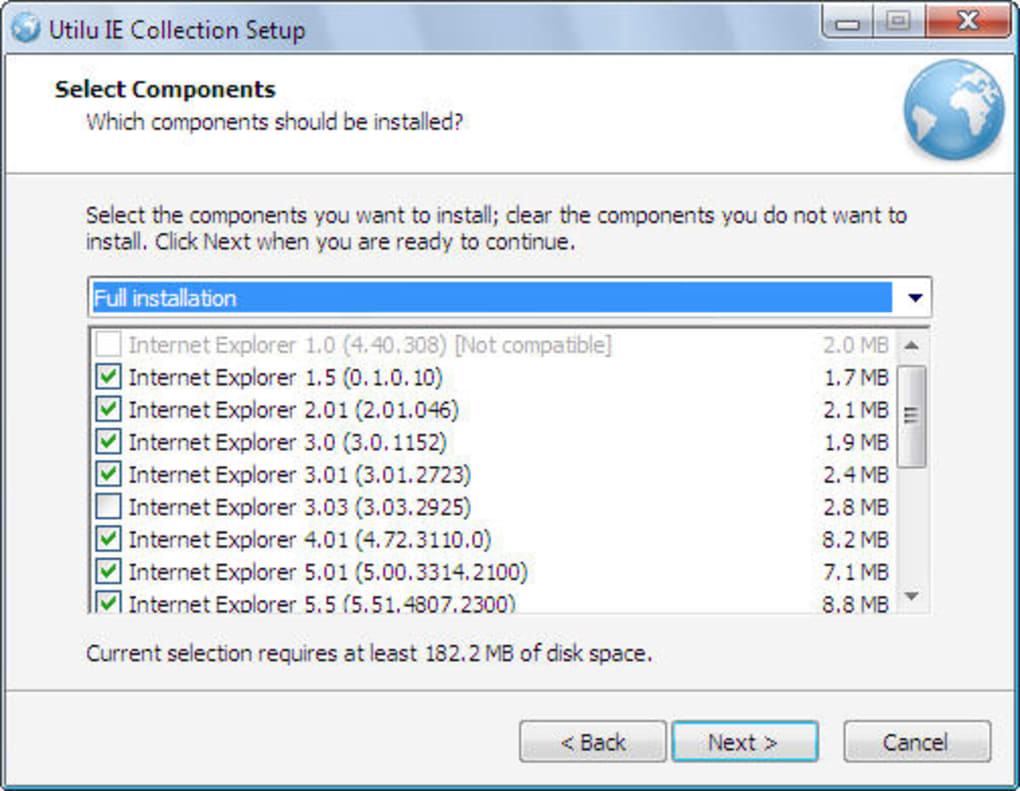
- Selective installation – choose only the versions you actually need.
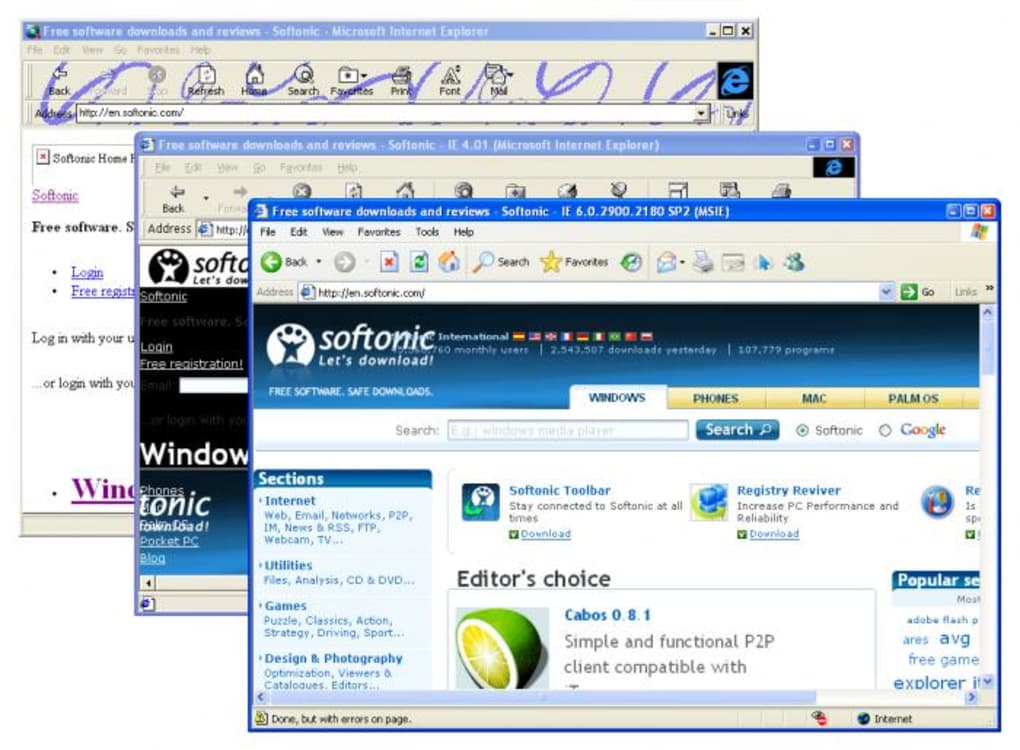
- One‑click launch of all selected browsers, allowing simultaneous visual comparison.
- Improved compatibility with Windows 7, Windows 10, and Windows 11 (via compatibility mode).
- Streamlined uninstaller that removes all components without leaving registry clutter.
- Lightweight footprint – each IE version is isolated, avoiding conflicts with your primary system browser.
- Secure offline operation – no internet connection required after download, reducing exposure to external threats.
- Regular updates to the developer toolbar and extensions, ensuring the latest debugging standards.
The collection’s modular design means you can tailor the install to your project’s exact needs. For instance, a designer working on a government website that must support IE 6 can simply install that version and the toolbar, skipping the older, rarely‑used builds. The built‑in toolbar replaces the old, clunky “Web Developer Toolbar” that shipped with IE 7, offering a cleaner UI and richer feature set. Moreover, the Firebug extension adds a familiar console and script debugger, making it easier for developers accustomed to modern browsers to transition their workflow to legacy environments.
Installation, Usage & Compatibility
Step‑by‑Step Installation
Downloading and installing Utilu Internet Explorer Collection is straightforward:
- Visit the official Utilu website and click the Download button for the latest version (the file is typically a
.exeinstaller). - Run the installer with administrative privileges. The wizard will prompt you to select the specific IE versions you wish to install. Tick the checkboxes for the browsers you need, or choose “Select All” for a full suite.
- Choose an installation directory – the default path (
C:\Program Files\Utilu\IECollection) works for most users. - Proceed through the setup; the installer extracts each browser into its own sandboxed folder, preventing registry conflicts with your native Internet Explorer.
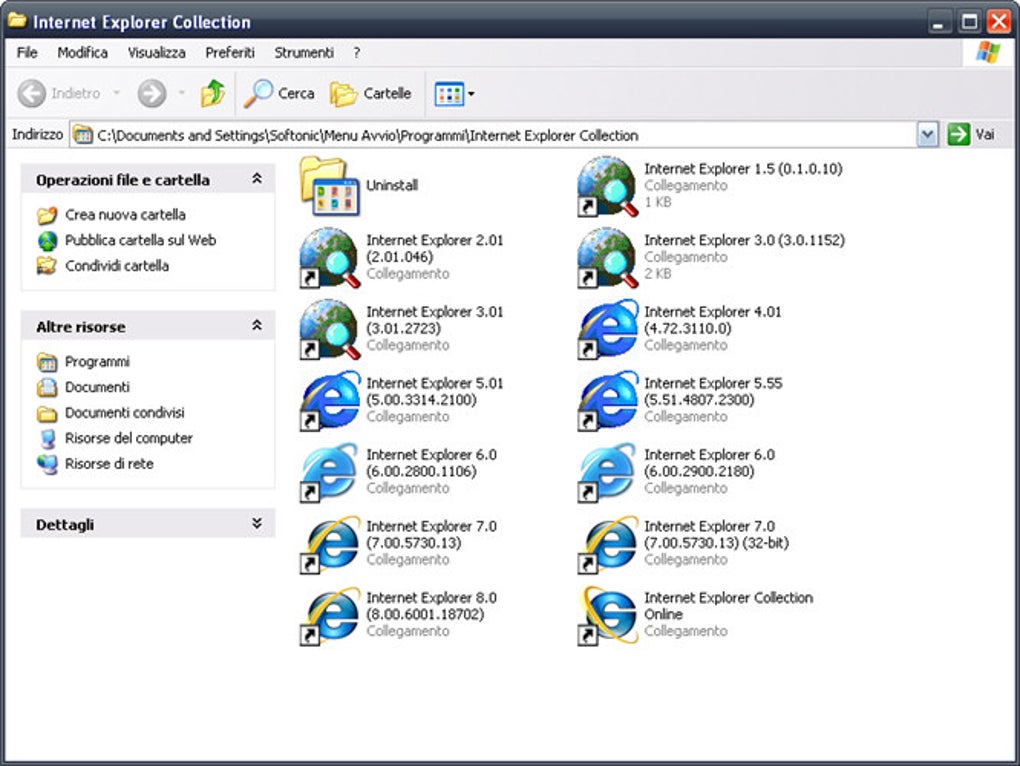
- When the process completes, you’ll see a shortcut group on your desktop that launches the “IE Collection Manager.” This utility lets you start any installed version or launch all selected browsers simultaneously.
Running the Suite
After installation, open the IE Collection Manager. The interface presents a grid of icons representing each installed version. Clicking an icon opens that specific IE instance, pre‑loaded with the Developer Toolbar if you opted for the add‑on during setup. For side‑by‑side testing, click the “Launch All” button – the manager will spawn each selected browser in a separate window, automatically navigating to the URL you entered in the address bar at the top of the manager. While this feature is a massive time‑saver, be aware that launching many instances simultaneously can consume a noticeable amount of RAM and CPU, especially on older hardware.
System Requirements & Operating System Support
Utilu Internet Explorer Collection runs on Windows 7, Windows 8/8.1, Windows 10, and Windows 11. The installer detects the host OS and configures compatibility settings (e.g., enabling “Windows XP Service Pack 3” mode for the oldest IE builds). Minimum hardware recommendations are:
- Processor: 1 GHz or faster (dual‑core preferred)
- RAM: 2 GB (4 GB recommended for launching multiple browsers)
- Disk Space: 300 MB free for full installation
The suite does not require an active internet connection after the initial download, which makes it ideal for secure environments or offline development stations. It also respects Windows User Account Control (UAC), prompting only when necessary to write to protected directories.
Pros, Cons & Frequently Asked Questions
Pros
- Comprehensive coverage: All major IE versions from 1.5 to 8.0 are available in one package.
- Built‑in developer tools: The updated Developer Toolbar and Firebug extension give modern debugging capabilities.
- Selective installation: Save disk space and reduce resource usage by installing only what you need.
- Offline and secure: No need for external VMs or internet access after download.
- Easy uninstallation: Clean removal without leftover registry entries.
Cons
- Only supports Windows – no native macOS, Linux, Android, or iOS versions.
- Resource‑intensive when launching many browsers simultaneously.
- IE 8 is the newest version included; newer browsers like Edge are not covered.
- Legacy browsers may not render modern CSS/HTML5 features, limiting testing to older sites.
FAQ
Can I install Utilu Internet Explorer Collection on Windows 11?
Yes. The installer detects Windows 11 and automatically applies compatibility mode for older IE versions, ensuring they run correctly.
Is the Developer Toolbar compatible with all installed IE versions?
The toolbar works with IE 6 through IE 8. For IE 5 and earlier, basic DOM inspection is available, but advanced features like network profiling are limited.
Do I need an internet connection to use the Firebug extension?
No. Once the suite is installed, the Firebug extension operates completely offline, allowing you to debug scripts and CSS without external resources.
Can I uninstall a single IE version without affecting the others?
Yes. The collection manager includes a “Remove” option for each installed version, letting you delete individual browsers while keeping the rest of the suite intact.
Is there a free trial or a limited‑feature version?
Utilu offers a fully functional evaluation copy that can be used for 30 days. After the trial, you’ll need to purchase a license to continue using the software without restrictions.
Conclusion & Call to Action
For anyone serious about cross‑browser compatibility—especially when dealing with legacy corporate intranets or government portals—Utilu Internet Explorer Collection remains one of the most practical, cost‑effective solutions on the market. It eliminates the headache of maintaining a fleet of old machines or juggling multiple virtual environments, and its integrated Developer Toolbar brings a modern debugging experience to browsers that otherwise lack such capabilities. While the suite is Windows‑only and caps at IE 8, those limits align with the reality that Microsoft has officially retired newer IE builds in favor of Edge. If your workflow still requires checking how pages render in those older browsers, this collection delivers a secure, offline, and user‑friendly experience. Don’t let legacy compatibility issues slip through the cracks—download Utilu Internet Explorer Collection today, install the versions you need, and give your web projects the thorough testing they deserve.







